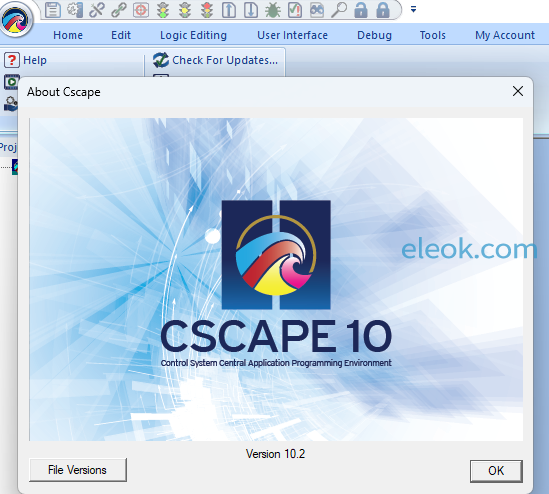
安装文件下载:仅提供个人在家学习用途,具体系统兼容性和安装方法请自行查阅资料,此程序文件来源于网络可靠性稳定性完整性皆无法验证,禁止用于其他用途,后果自负。
https://pan.baidu.com/s/1e5dE0PmOZYfGf-04YWjVfA
请先确认以上网盘链接有效再下载提取码附件,避免浪费积分,若链接失效请回帖反馈以便及时处理并留下邮箱给您发送可用链接
 百度网盘提取码及解压密码.txt
(1.44 KB, 售价: 3 E币)
百度网盘提取码及解压密码.txt
(1.44 KB, 售价: 3 E币)
Overview
Cscape 10 features a redesigned user interface and among its dozens of improvements includes the newly developed Advanced Graphics Engine. This Advanced Graphics Engine supports several graphic building blocks for user interface design that have been reimagined from the ground-up. These include (but are not limited to) Trend, XY Graph and Scatter Graph objects, a Recipe object, Alarm objects and a Video playback object.
What’s New in Cscape™ 10
Cscape 10.2 New Additions
1.Added support for CPU300.
2.Added support for OCSIO multiple base identification.
3.Added support for configuring the following CsCAN relay modules:
• Relay Out (HE179DQM803)
• Relay Out with fixed CAN address (HE179DQM803 – A)
4.Variable-Based Advanced Ladder only
Added the following enhancements in the Move data block:
• A data type field was added in the Source section, which will get updated automatically once Variable is selected.
• The Count field is enabled only when the data type selected in the Source field is an array.
• The Destination field data type is independent of the Source variable type.
5.Variable-Based Advanced Ladder only
Copy-paste of (User-Defined Function Block) UDFB into a new rung will prompt for creating a new instance label.
6.Added the “Find in Entire Program” option in the element search window to enhance search operations in all configurations (similar to where used functionality).
7.Added the following options in the “Replace” functionality window to improve the replacement of variables in different modules:
• Replace in Current Module
• Replace in Logic and Graphics Module
• Replace in Entire Program
8.Added “Bookmark” feature in Cscape to mark/unmark places in the logic so that the user could easily navigate to code.
9.Applies to new programs only
Changed the default global grid settings to the following:
• Primary Grid X – 32
• Primary Grid Y – 30
• Primary Snap to Grid – Unchecked
• Secondary Grid X – 8
• Secondary Grid Y – 6
• Secondary Snap to Grid – Checked
10.Canvas only
Added ON and OFF string color selection option in the Button/Switch graphics object properties.
Note: When converting from Canvas to legacy, the text color will be set to the default black color.
11.Canvas only
Added the following options in the slider properties window to allow smooth slider operation to any value in the range.
• Snap the knob
• Snap the buttons – available for classic slider type only.
12.Changed the default model from XL4 to XL4 Prime in Cscape when Cscape is launched with an empty program.
Cscape 10.1 SP1 New Additions
1.CPU250 (Next Gen RCC) support has been added.
2.Removed the requirement to start a rung in Register-based Advanced Ladder and Variable-based Advanced Ladder programs with a contact.
3.Added system register support to enable and disable DHCP.
• SR235.1 – DHCP1 (0 – Disable and 1 – Enable)
• SR235.2 – DHCP2 (0 – Disable and 1 – Enable)
4.Added array validation check in all places where the field requires array data to be configured.
5.Added a security enhancement for adding a device to OCS360.
Cscape 10.1 New Additions
1. Added OCS360 support.
2. Added tick marks and snap mode support for Rotary slider type.
3. Added a Favorites section in the Logic and Graphics project toolbox.
4. Security Improvement: Enforced limited retry attempts for incorrect passwords.
Note: If the user enters the wrong login password continuously three times in security log-in, a delay of three (3) seconds for each wrong password entry is added.
5. Added feature to control/change zoom with Control + Mouse.
6. Show screw terminals on the power bar.
(Logic user settings | Logic display | Ladder display) option will be enabled by default.
7. For Canvas models only
Added Keypad and Spinner options in the text table graphic object configuration.
Note: Requires FW Version 17.10 onwards
8. Added the following options to view historical trend data plots.
• Average
• Minimum
• Maximum
• Downsample
Note: For XL Prime models, requires FW Version 17.10 onwards
9. Added System register bit for system menu access.
Note(s):
• %SR43.1 (SYS_DISABLE) and %SR43.2 (SYS_ACK) are used for restricting system menu access.
• Requires FW Version 17.10 onwards (XL Prime and Canvas models).
Requires FW Version 15.90 onwards (Micro OCS Series).
10. Retain variable support added for Micro OCS Series in variable-based advanced ladder.
Note: Requires FW Version 15.90 onwards.
11. The “Set Local ID” option is supported for both CsCAN and CANOpen network types.
Note: Requires FW Version 17.10 onwards (XL Prime and Canvas models).
12. Added support for multiple USB video streaming.
Note: Requires FW Version 17.10 onwards (XL Prime and Canvas models).
13. Added “Alpha Filter constant” option in Analog Input Configuration window for Micro OCS Series.
Note: Requires FW Version 15.90 onwards
Cscape 10.0 SP1 New Additions
Added XL10W Prime support.
Support added to change default pen width for Trends and Graph objects.
Added new blocks STRINGTOUARRAY and UARRAYTOSTRING in Enhanced IEC to support USINT data types
Note: This requires Cscape 10 SP1 onwards.
Various bug fixes, refer to full release notes.
Cscape 10 Enhancements
FEATURES:
User Interface Upgrades
• Ribbon Bar
• Editing in Tabs
• Graphics Toolbox
• Ladder Graphics
• Combined Settings
• Backup Improvements
• New File Wizard
• Project Navigator Updates
Graphic Object Upgrades
• Background Selection
• Slide & Rotary Objects
• Data & Indicator Objects
• Menu & Recipe Objects
• Trend & Graph Objects
• Switch & Selector Objects
• WebMI Plus
• Extensive Symbol Library
• Video Object and more!
Micro, XL and Prime Series New Features in Cscape 10:
Updated User Interface – editing screens within a tab
• New graphics toolbox
• Visibility schemes / colorization options
• Automatic backup saves for programs
• Updated Project Navigator
• New file creation wizard to choose model, programming language,
or type of program
• All new clipart library (not replacing Symbols) that provides a
number of images for various applications.
• PNG & GIF image support
• Project Navigator enhancements
• Updated variable mapping to be more seamless
Canvas Series Cscape 10 Additional Features:
Gesture and Keyboard/Mouse support
• Change F-key slide out position (top, bottom, left side, right side)
• Background selection on most objects
• Updated objects across the board – buttons, indicators, data fields,
switches, etc.
• Big improvements in graphs/trend objects, alarm objects, recipes,
videos, modernized system menu, and much more.
• Improved download speeds, especially for ethernet

【必读】版权免责声明
1、本主题所有言论和内容纯属会员个人意见,与本论坛立场无关。2、本站对所发内容真实性、客观性、可用性不做任何保证也不负任何责任,网友之间仅出于学习目的进行交流。3、对提供的数字内容不拥有任何权利,其版权归原著者拥有。请勿将该数字内容进行商业交易、转载等行为,该内容只为学习所提供,使用后发生的一切问题与本站无关。 4、本网站不保证本站提供的下载资源的准确性、安全性和完整性;同时本网站也不承担用户因使用这些下载资源对自己和他人造成任何形式的损失或伤害。 5、本网站所有软件和资料均为网友推荐收集整理而来,仅供学习用途使用,请务必下载后两小时内删除,禁止商用。6、如有侵犯你版权的,请及时联系我们(电子邮箱1370723259@qq.com)指出,本站将立即改正。
|
|